
Maintenance Request
How to Submit a Maintenance Request
Keep Your Community in Great Condition
Whether you've noticed a landscaping issue, a plumbing concern in a common area, or another maintenance problem, submitting a maintenance request is the quickest way to notify your management team so it can be reviewed and addressed.
The Homeowner Portal allows you to submit requests anytime, upload photos, monitor progress, and communicate directly with the management team—all from one convenient place.
Before submitting your request, please follow the steps below to help ensure it is routed to the appropriate team as quickly as possible.
Step 1: Determine Whether the Issue is HOA or Homeowner Responsibility
Before submitting a maintenance request, it's helpful to determine whether the repair is the responsibility of the Homeowners Association (HOA) or the homeowner.
The HOA is generally responsible for:
Common area landscaping
Community amenities (pool, clubhouse, playground, etc.)
Building exteriors
Roofs (where applicable)
Shared plumbing or electrical systems
Exterior lighting in common areas
Sidewalks, streets, or other common property maintained by the Association
Homeowners are generally responsible for:
Interior plumbing, electrical, and HVAC systems
Appliances
Interior walls, flooring, and ceilings
Doors and windows (depending on your governing documents)
Fixtures inside the home
Items located within your property's maintenance boundaries
Not sure who's responsible?
Don't worry. Submit your request anyway. Your management team will review the issue and let you know if it's covered by the Association or if it falls under homeowner responsibility.
Step 2: Gather the Necessary Information
Providing complete and accurate information helps your management team evaluate the issue more efficiently.
Before submitting your request, have the following ready:
A detailed description of the issue
Photos or videos (if available)
The date you first noticed the problem
Any additional details that may help identify the issue
Whether the issue appears to be an emergency
Step 3: Submit Your Maintenance Request
Option A: Submit Through the Homeowner Portal (Recommended)
The Homeowner Portal is the fastest and most efficient way to submit and track maintenance requests.
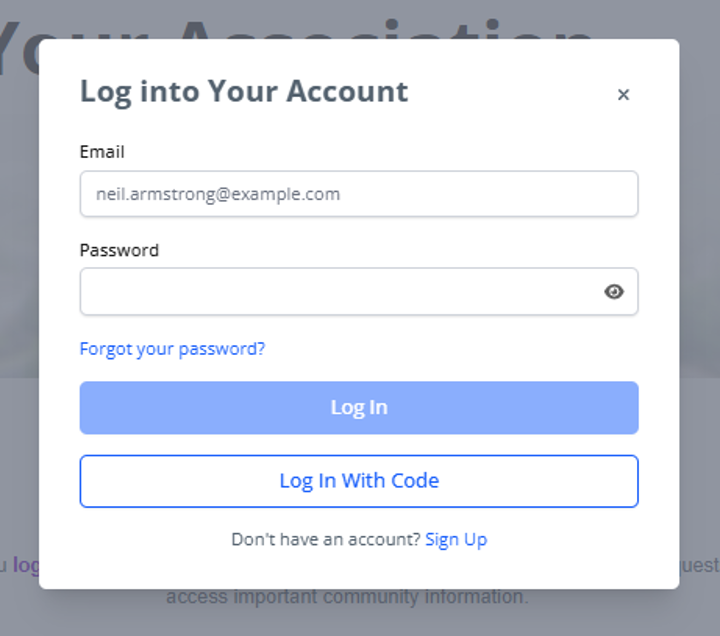
Log In
Open the Homeowner Portal at home.virtualhoa.com and enter your email and password.
Create a New Request
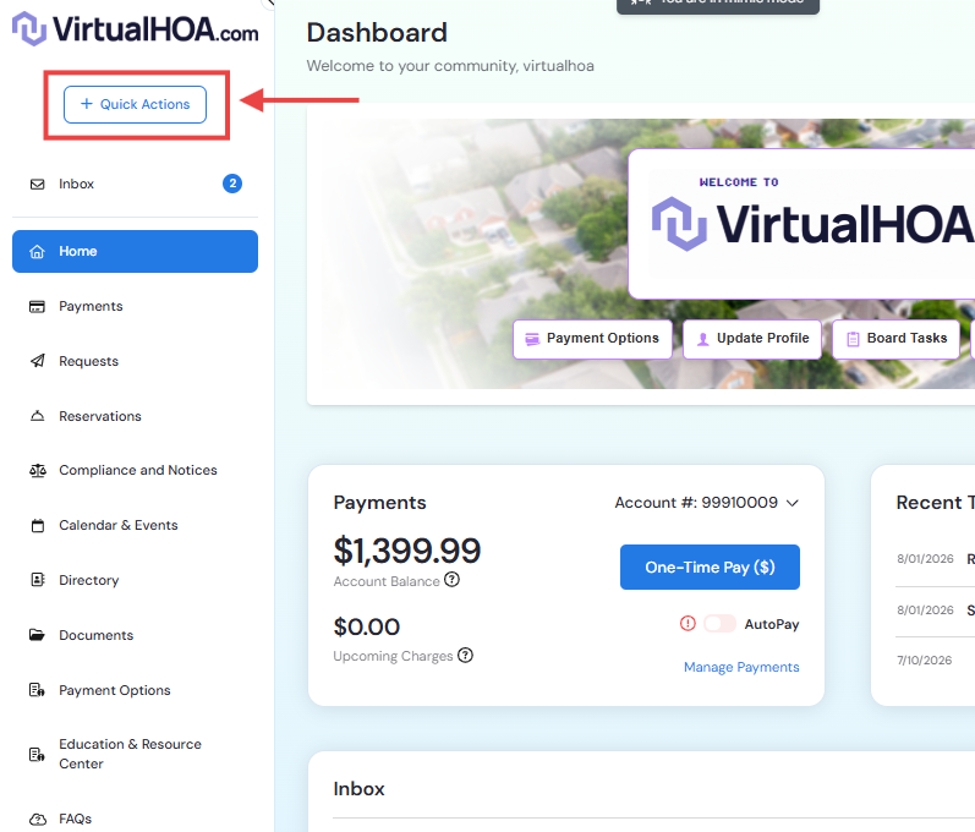
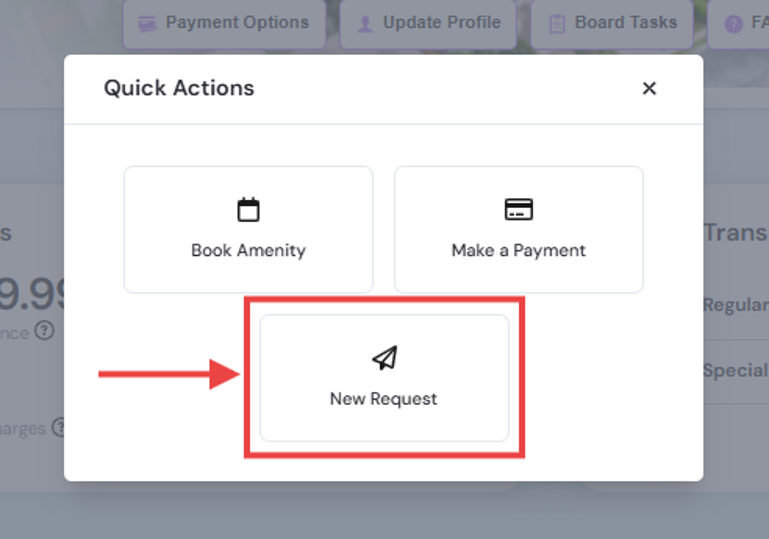
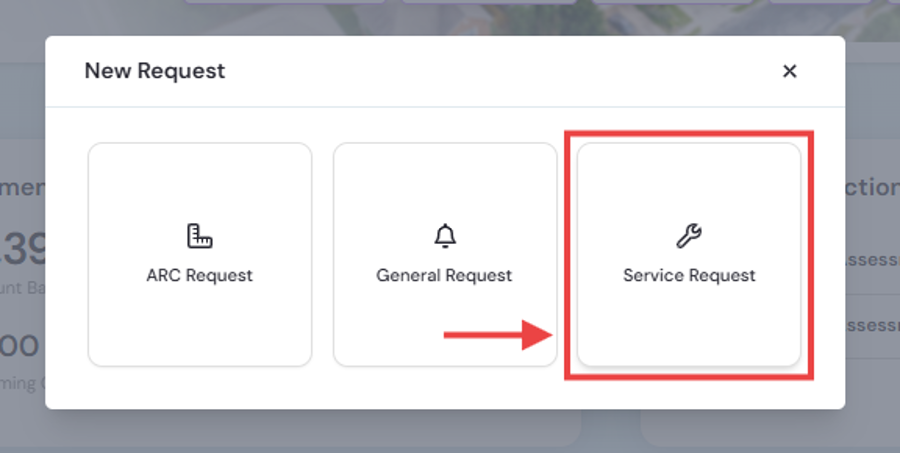
Navigate to your main Menu and click on “Quick Actions” > “New Request” > “Service Request”
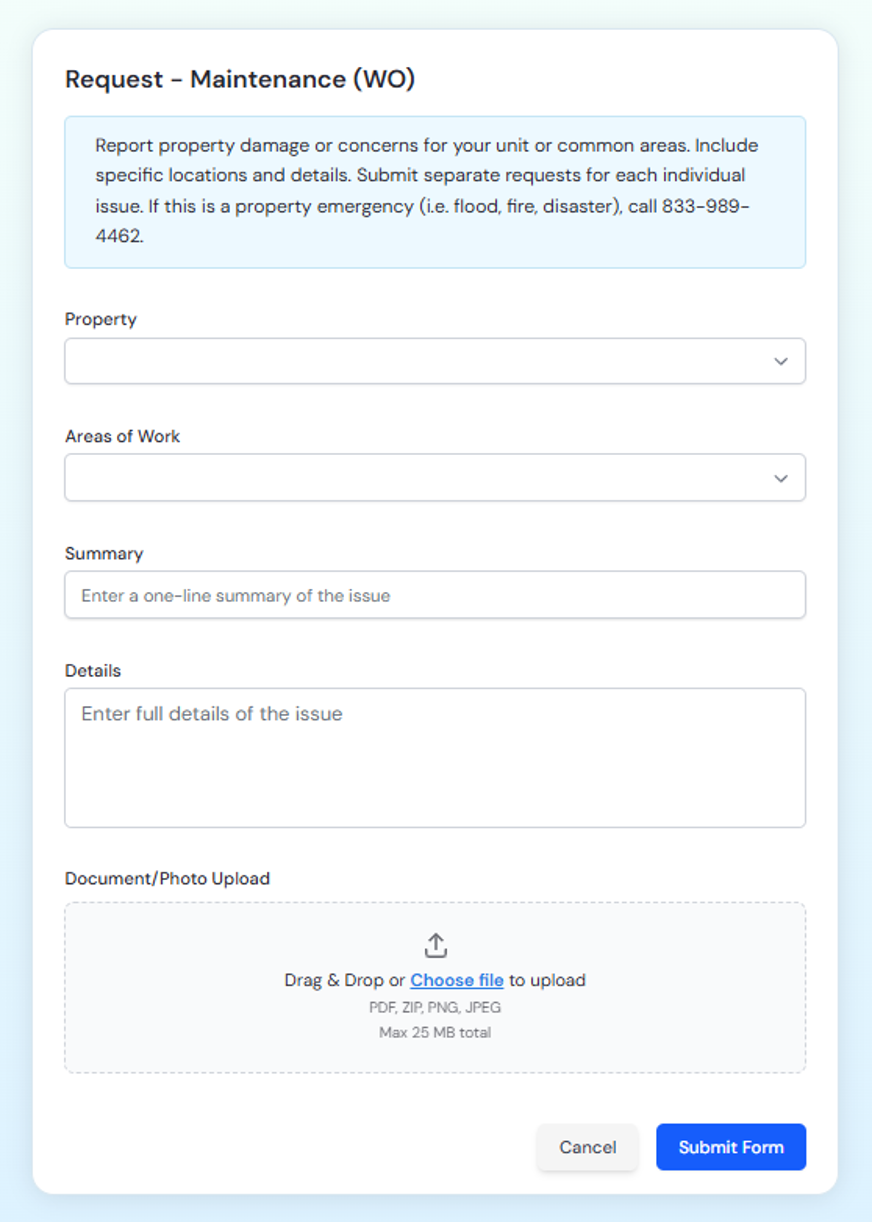
Complete the Request Form
Fill in all requested information, including:
Property Address
Areas of work
Summary
Detailed description of the issue
Upload photos or supporting documents
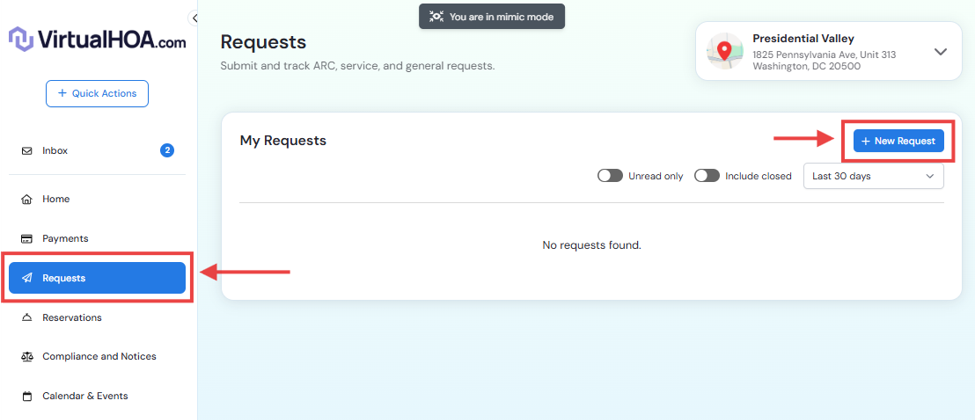
Alternatively, you can submit a Maintenance Request by navigating to Requests from the main menu, selecting New Request, then Service Request, and following the same steps outlined above.
Review and Submit
Before submitting:
Verify all information is accurate.
Click Submit.
Save your confirmation number or confirmation email for your records.
You will typically receive an automatic confirmation once your request has been submitted successfully.
Option B: Submit by Email
If you are unable to access the portal, you may submit your request by email at info@virtualhoa.com .
Include:
Your name
Property address
Contact information
Description of the issue
Photos (if available)
Option C: Report an Emergency
For true maintenance emergencies only, contact the Association's emergency line immediately at 1.833.989.4HOA [4462].
Examples of emergencies include:
Sewage Backups
Major water leaks
Electrical hazards
Situations creating an immediate risk to people or property
Important: Routine maintenance requests should not be reported through the emergency line.
If possible, submit the maintenance request through the Homeowner Portal afterward so a complete record is available.
Step 4: Track Your Request
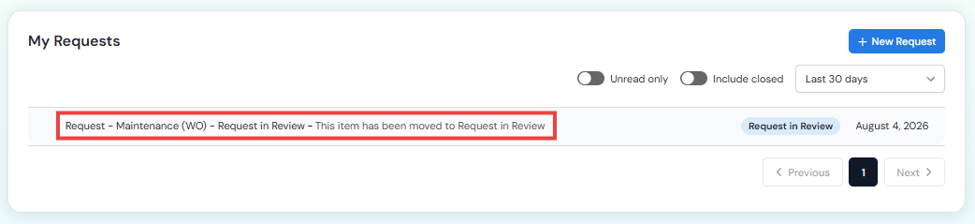
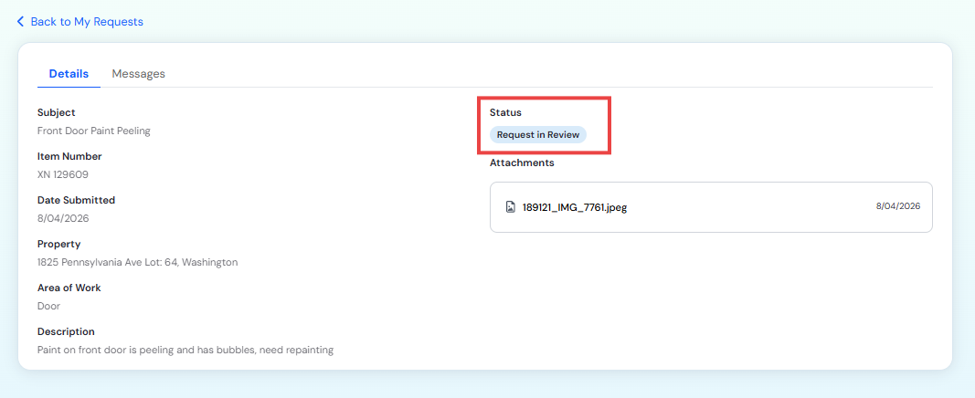
One of the biggest advantages of using the Homeowner Portal is the ability to monitor your request from start to finish.
You can log in at any time to check:
Current request status
Vendor assignment
Scheduled service dates
Completion updates
You may also receive email notifications when your request is updated.
Step 5: Respond to Follow-Up Requests
Some repairs require additional information before work can begin.
Please:
Check your email and Homeowner Portal regularly.
Respond promptly to any questions.
Provide access to your property if necessary.
Confirm appointments with vendors when requested.
Timely responses help avoid delays in completing your repair.
Step 6: Confirm the Work Has Been Completed
Once the repair has been completed:
Verify that the issue has been resolved.
Inspect the work if you have access to the repaired area.
Notify management promptly if the repair is incomplete or additional work is needed.
If your community's portal allows it, you may also be asked to acknowledge that the work has been completed.
Why Use the Homeowner Portal?
Using the Homeowner Portal provides several advantages over phone calls or email.
Benefits include:
Submit maintenance requests 24/7
Track request progress in real time
Upload photos and supporting documents
View your complete maintenance request history
Receive automatic status updates
Communicate directly with the management team
Keep all maintenance records organized in one place
Frequently Asked Questions
Can I submit multiple issues in one request?
It's generally best to submit one request per issue. This allows each problem to be assigned to the appropriate vendor and tracked independently.
How long will it take for my request to be completed?
Response times vary depending on:
The urgency of the issue
Vendor availability
Whether Board approval is required
Weather conditions (for outdoor work)
Availability of parts or materials
Emergency situations receive priority attention.
Important Reminders
✔ Report emergencies immediately by phone using the Association's emergency contact number.
✔ Include photos whenever possible to help the management team evaluate the issue more quickly.
✔ Keep your contact information current so vendors and management can reach you if access is needed.
✔ Do not hire contractors to perform repairs on Association-maintained property without prior authorization. Unauthorized work may not be reimbursed.
✔ The Homeowner Portal is the preferred method for submitting maintenance requests because it creates an automatic record, allows for status tracking, and helps ensure your request is processed as efficiently as possible.