
ARC Approvals
Reviewing and Voting on ARC Applications Through the Portal
As a Board member, you are responsible for reviewing and voting on ARC applications submitted by homeowners. This guide will walk you through the review process to help ensure proposed property modifications comply with the community's guidelines and governing documents. Your timely review helps maintain the community's standards and provides homeowners with prompt decisions on their requests.
Important: ARC applications may be reviewed by either the Architectural Review Committee (ARC) or the full Board of Directors, depending on the Association's process.
Before a vote is entered into the system, the reviewing body should discuss the application and determine a final decision. Once a consensus has been reached, only one vote is required in the system to trigger the approval or denial of the application. The ARC Committee or Board should designate a representative to record the final decision and any applicable comments on behalf of the group.
Step-by-Step Instructions
Step 1: Log into the HOA Portal at https://home.virtualhoa.com/
Enter your username and password
Click "Login"
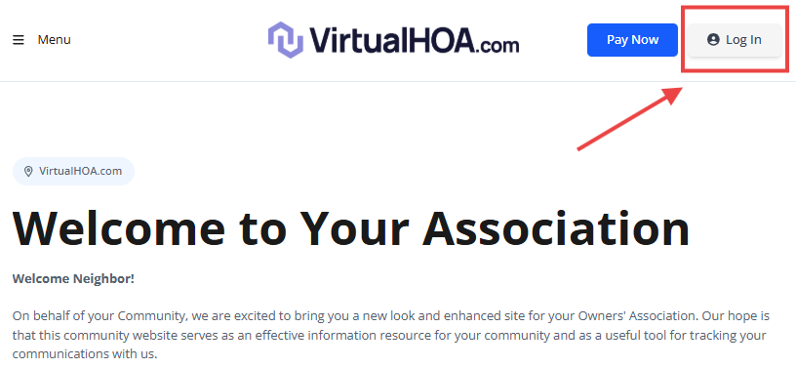
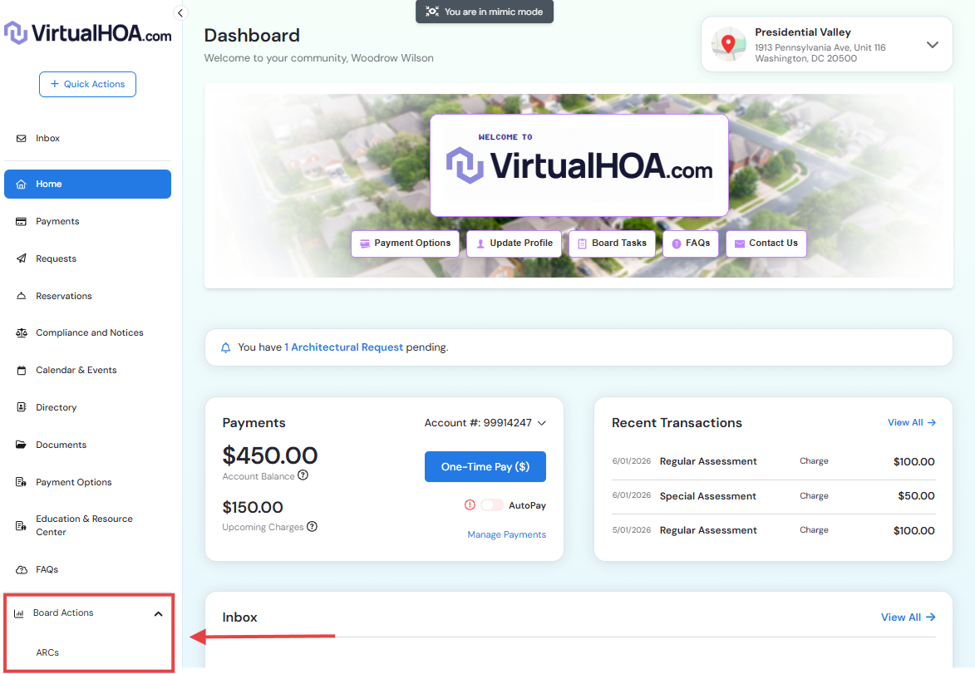
Step 2: Navigate to Board Actions
Once logged in, look for the "Board Actions" section located on the left side column in your dashboard.
Click on this section to view the ARC option and click on it.
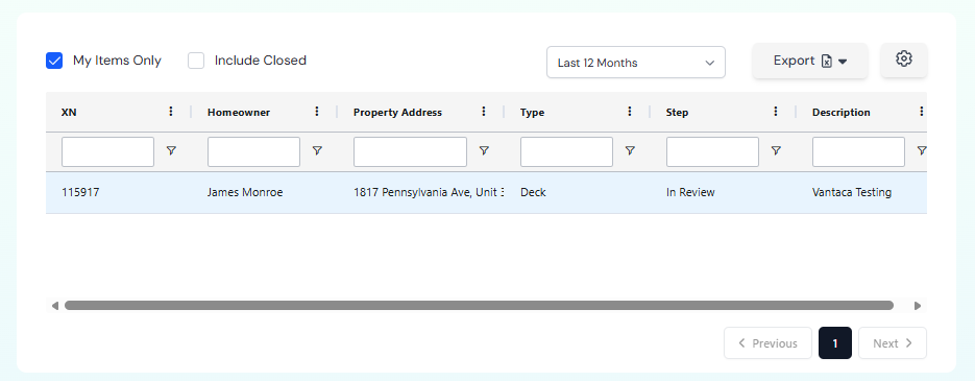
Step 3: View Pending Applications
You'll see a list of all ARC applications awaiting board review
-
Applications will show:
XN (Action Item Number)
Homeowner name and property address
Type of modification requested
Current status
And a brief description of the project
Step 4: Open the Application for Review
Click on the specific application you want to review
This will open the full application details
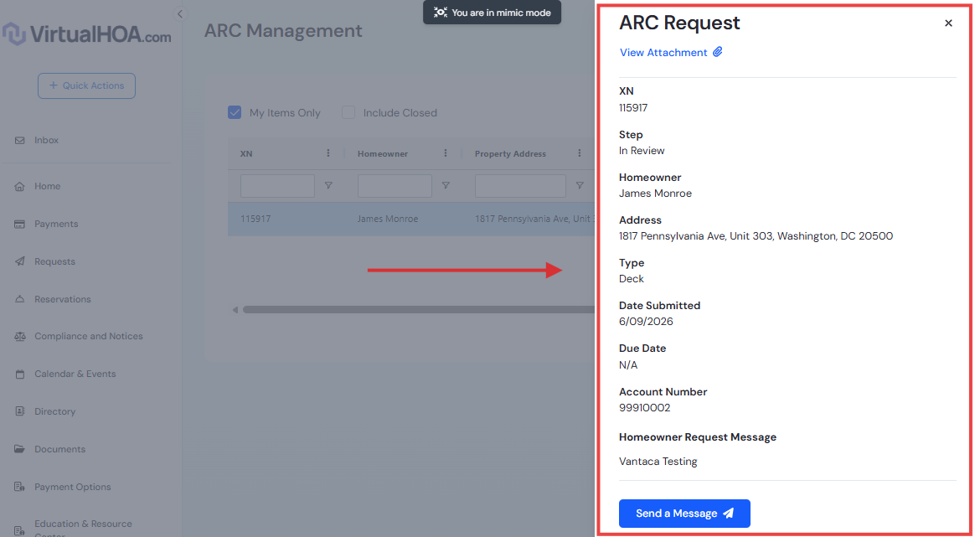
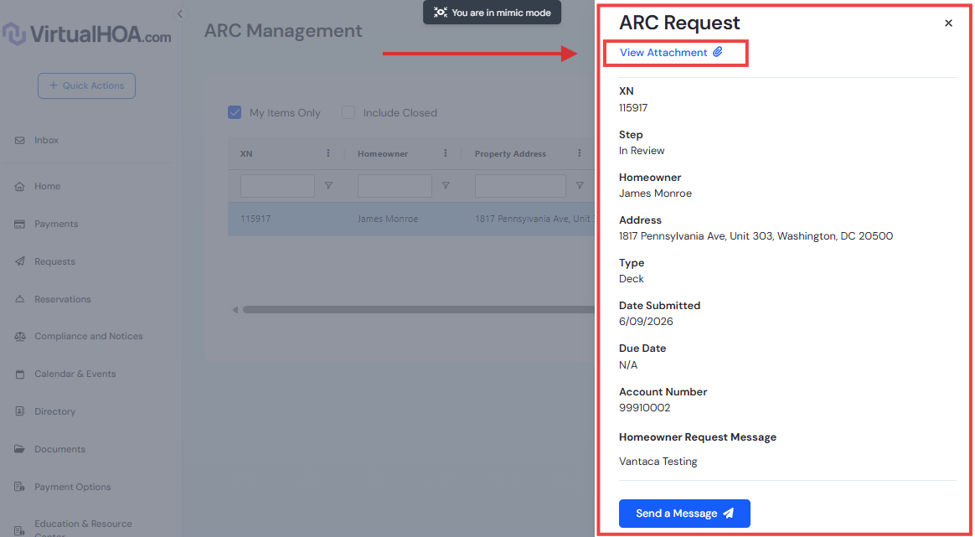
Step 5: Review Application
Carefully review all documents, plans, photos, and information submitted with the application. Verify that the proposed project complies with the Community's Rules, Architectural Guidelines, and Governing Documents. Once you have completed your review, cast your vote based on whether the request meets the applicable requirements.
Step 6: Cast Your Vote
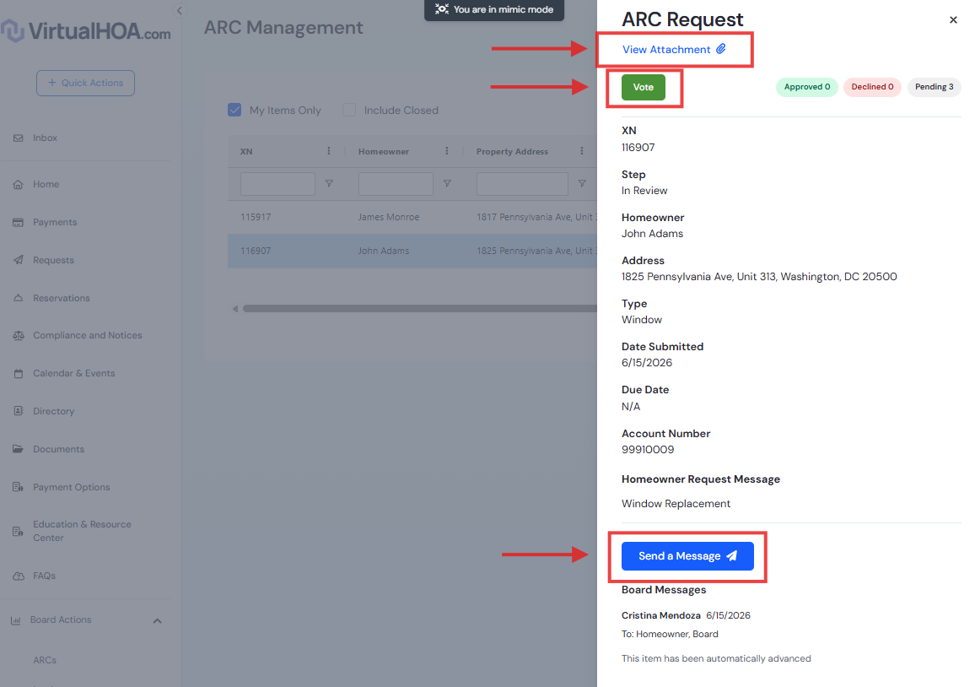
Look for the voting section within the application
-
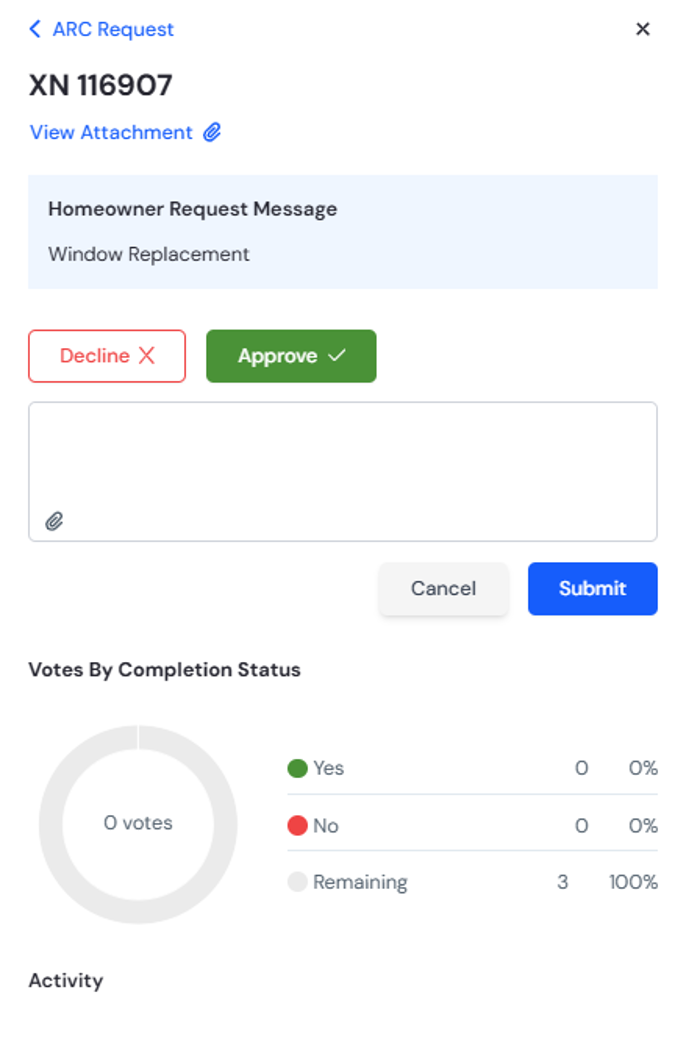
Select one of the following options:
Approve - Application meets all requirements
Deny - Application does not meet requirements
If additional information is needed before the application can be approved or denied, enter a comment in the Message section specifying the details, documents, or clarification required from the homeowner.
Add comments explaining the reason for your vote, especially when an Application is Approved with Conditions or Deny, so the homeowner clearly understands any requirements, restrictions, or reasons for the decision.
Step 7: Submit Your Vote
Click "Submit Vote" or "Save"
You should receive a confirmation that your vote has been recorded
Important Reminders for Board Members
✓ Review Timeline: Applications should be reviewed within 30 days of submission
✓ Complete Review: Ensure all required documents are present before voting
✓ Clear Communication: If denying or requesting more information, provide specific reasons
✓ Design Guidelines: Base decisions on the community's architectural guidelines and CC&Rs
✓ Consistency: Apply standards consistently across all applications
✓ Questions: Contact the management company if you need clarification on any application